
Best Photo Culling Software for Photographers (2026)
By The Photo Testers · Updated July 2026 · 9 min read
We research every tool and keep pricing current. Some links below are affiliate links, which means we earn a commission if you sign up through them. It does not change what we write. Pricing is current as of July 2026, but always confirm on the vendor's own page.
Fastest AI culling: FilterPixel. Cloud-based, so speed doesn't depend on your laptop, roughly three times faster than local tools in benchmarks.
Best all-in-one: Aftershoot. Culling plus editing and retouching in one offline app at a flat price.
Best creative control: Narrative Select. Slower, but its expression-comparison tools are unmatched for portraits and weddings.
Fastest manual (no AI): Photo Mechanic. A one-time purchase and legendary browsing speed if you'd rather cull by hand.
Why dedicated culling software beats Lightroom
You can cull inside Lightroom or Capture One, but they were never built for it. You wait for previews to render, switch between modules, and make selection decisions with your whole editing environment loaded in the background.
Dedicated culling software separates selecting from editing. You do the first pass in a fast, purpose-built tool, then send only the keepers to Lightroom. The result is quicker decisions, less fatigue, and a cleaner editing queue.
For anyone shooting more than a few hundred images a session, that separation is where the real time savings live. The question is just which tool fits how you work.
Speed, tested on the same machine
Culling tools make big speed claims, so the useful number is a like-for-like test. On the same MacBook Pro M3, processing 1,000 images:
- Aftershoot culled 1,000 images in 9 minutes 14 seconds, about 3x slower than FilterPixel but meaningfully faster than manual culling in Lightroom, with 91.2% keeper identification accuracy.
- Narrative Select processed 1,000 images in 18 minutes on the same machine, slower than both FilterPixel and Aftershoot.
- FilterPixel, being cloud-based, is fastest and its speed doesn't depend on your hardware at all.
Keep in mind who published that benchmark (FilterPixel), so read the winner with a pinch of salt. But the relative pattern, cloud fastest, Aftershoot mid, Narrative slower-but-more-considered, is consistent across independent sources too.
The comparison
| Tool | Best for | Pricing | Processing | |
|---|---|---|---|---|
| FilterPixel (fastest) | Speed, genre culling | Free + flat | Cloud | View |
| Aftershoot | All-in-one | Flat, unlimited | Local | View |
| Narrative Select | Creative control | ~$99/yr | Local | View |
| Photo Mechanic | Manual speed | One-time | Local | View |
| Excire Foto | One-time AI | One-time | Local | View |
Researched July 2026. Confirm current pricing with each vendor.
1. FilterPixel: fastest, and genre-aware
FilterPixel is the speed leader, and it earns it by processing in the cloud rather than on your machine. Its other distinguishing feature is DeepCull, which loads a model trained for your specific shoot type, weddings, sports, concerts, conferences, portraits, so it weights frames the way that genre actually rewards.
You can try FilterPixel on 4 projects for free, including DeepCull, with no credit card required, and packages start at $14.99 a month.
The trade-off is the cloud itself: you upload your RAWs, so you need solid internet and you're not working fully offline.

Good
- Fastest culling here; speed independent of your hardware
- Genre-specific DeepCull models
- 4 free projects to try
Not so good
- Requires uploading RAWs; needs good internet
- Not a fully offline workflow
Pricing: 4 free projects; from $14.99/mo (July 2026).
Try FilterPixel free2. Aftershoot: best all-in-one
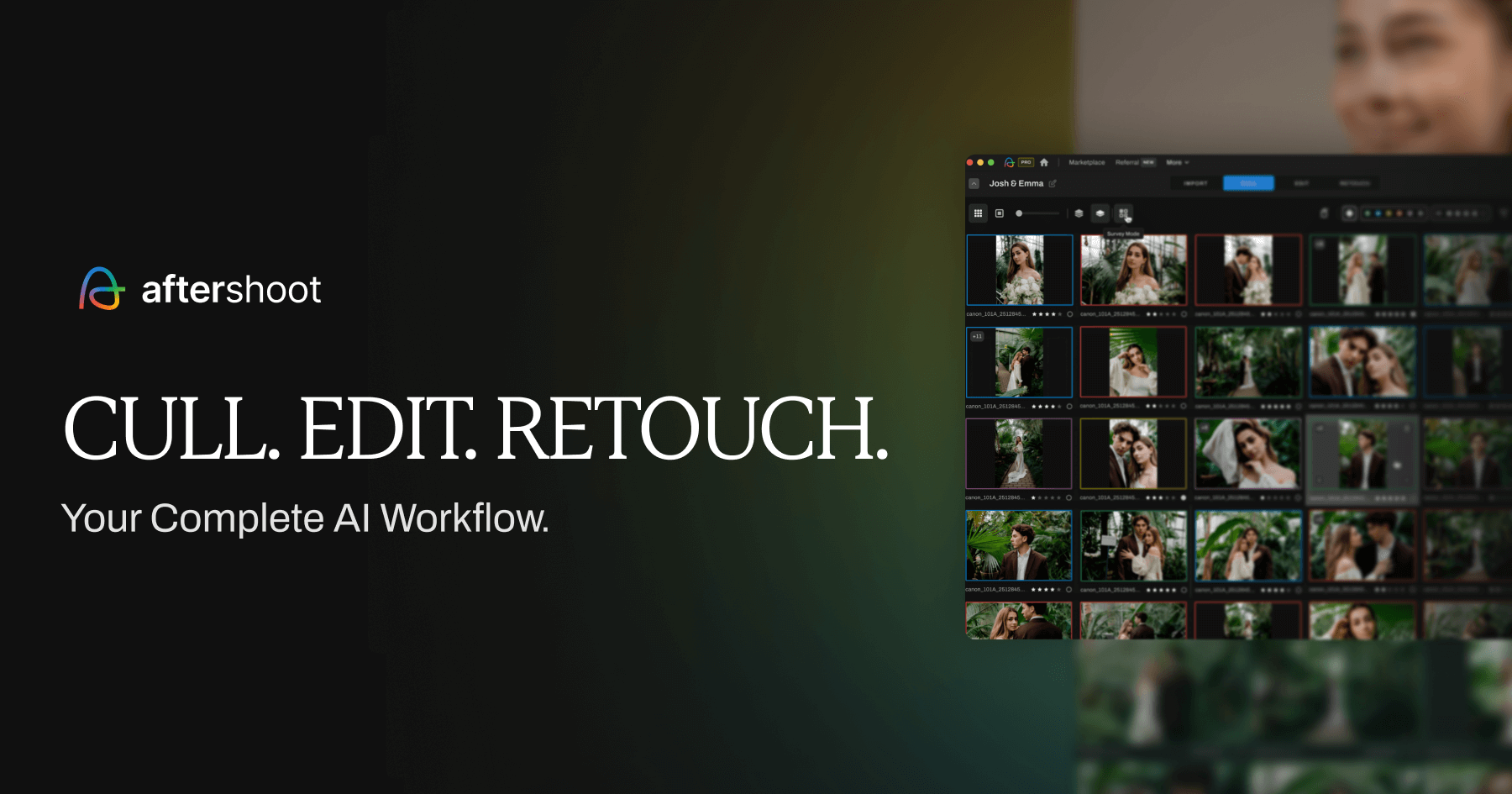
Aftershoot is the pick if you want culling plus editing and retouching in one place, all offline. It's the more automated tool, and its flat, unlimited pricing means volume doesn't change the cost.
Aftershoot needs Windows 10+ or macOS 11+, 8 to 16GB of RAM (16GB recommended), and a dedicated GPU makes a real difference in speed. That's the honest catch: because it runs locally, a big wedding on an older laptop will tie up your machine for a while. On a well-specced desktop, though, it's quick and the all-in-one workflow is genuinely convenient.
Good
- Culling, editing, and retouching in one app
- Flat, unlimited pricing
- Fully offline; files stay on your machine
Not so good
- Speed depends on your hardware; wants 16GB RAM
- Ties up your computer on large galleries
Pricing: From $9.99/mo annual (culling) to full-workflow tiers (July 2026).
View Aftershoot3. Narrative Select: best for creative control
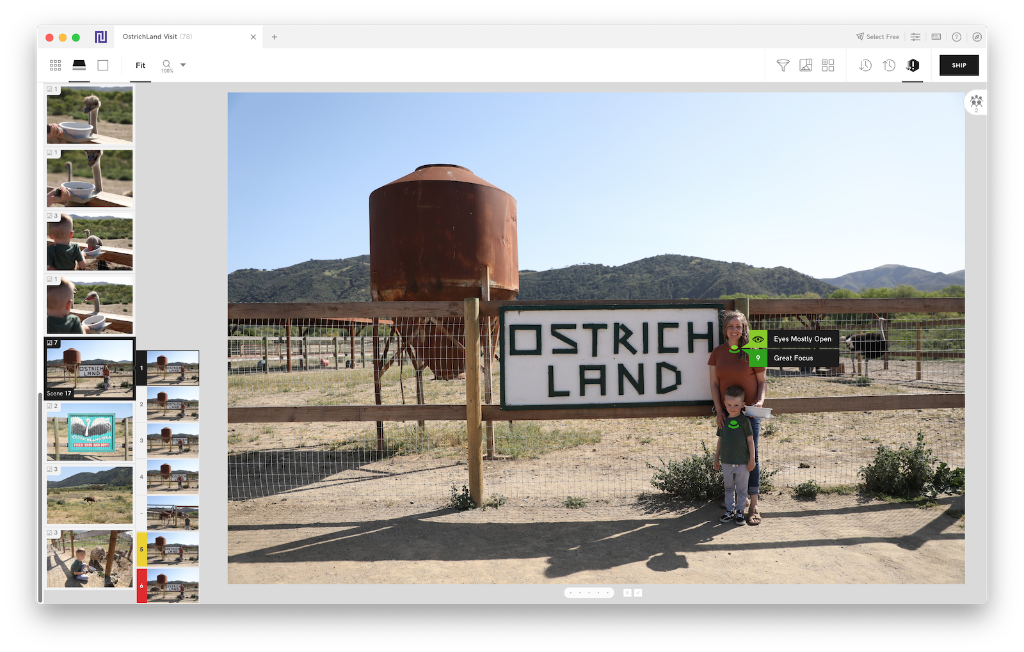
Narrative Select is slower than the others, and for the right photographer that's a feature, not a flaw. It's built to help you cull carefully while keeping the final say, and its expression-comparison tools are the best here.
Its standout is face-based culling: close-up panels let you compare expressions across a whole series at a glance, and the AI is especially good at catching subtle expression differences in portraits and weddings. It works offline and ships selections into Lightroom. Pricing is around $99 a year.
If you've ever been burned by an AI confidently rejecting the shot where someone's smile was perfect, Narrative's compare-and-decide approach is the answer.
Good
- Best expression-comparison tools for portraits and weddings
- Keeps you in creative control
- Works offline; ships to Lightroom
Not so good
- Slower than FilterPixel and Aftershoot
- Requires Lightroom Classic
Pricing: Around $99/year (July 2026).
View Narrative Select4. Photo Mechanic: fastest manual option
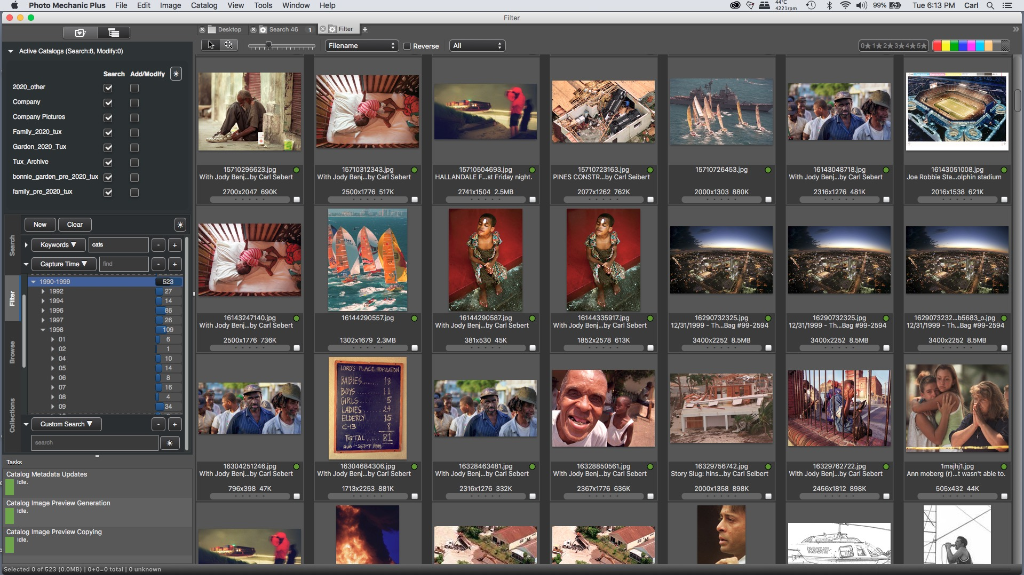
If you'd rather cull by hand at high speed, or you just want to own your software outright, Photo Mechanic is the classic. It's not AI, it's a legendarily fast browser and ingestion tool that sports, news, and event pros have relied on for years.
Photo Mechanic 6 costs $139 one-time and Photo Mechanic Plus costs $249 one-time. Neither version includes any AI culling features. It runs fast on almost any machine and needs no internet. You trade AI automation for speed, total control, and no subscription.
Good
- One-time purchase, no subscription
- Legendary speed from card to delivery
- Runs fast on modest hardware; no internet needed
Not so good
- No AI culling; you do the selecting
- Strongest when paired with a separate tool for AI
Pricing: $139 one-time (v6); $249 (Plus) (July 2026).
View Photo Mechanic5. Excire Foto: best one-time-purchase AI option
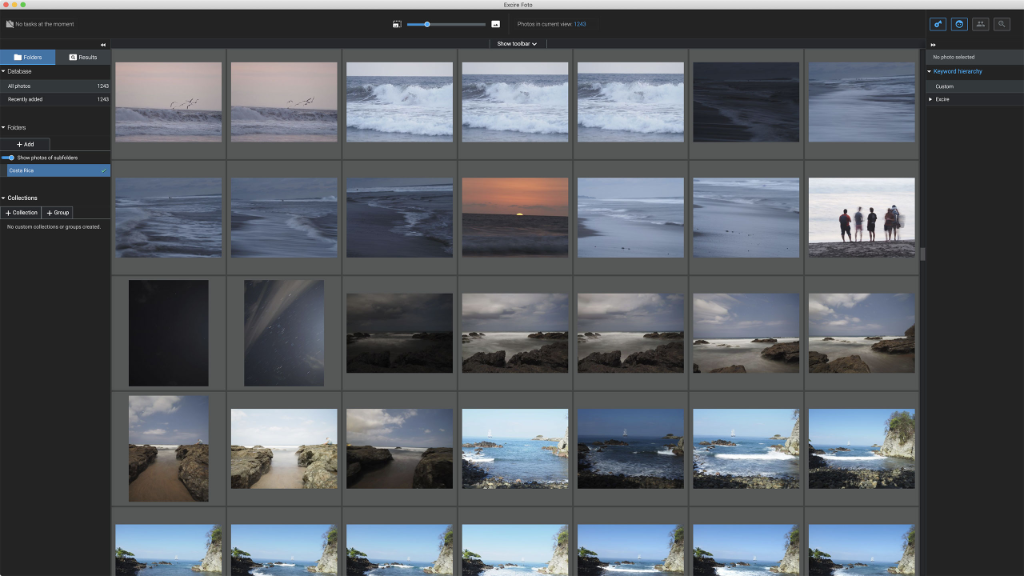
Excire Foto is the interesting middle ground: it uses AI, but you buy it once rather than subscribing. It runs locally, offers AI-assisted culling and keyword tagging, and appeals to photographers who want some automation without a recurring bill. Pricing is a one-time purchase (around €99).
It's not as fast or as genre-smart as FilterPixel, and it's less polished than Narrative, but for a photographer who wants AI help and ownership, it's one of the few tools that offers both.
Good
- AI culling with a one-time purchase
- Works offline
- No subscription
Not so good
- Less refined than the subscription tools
- No genre-specific models
Pricing: One-time purchase, around €99 (July 2026).
View Excire FotoHow to actually choose
The honest truth from every credible test: there is no single best culling tool, only the best for how you work. A few clear paths:
Shoot high volume and want maximum speed? FilterPixel, especially if your internet is good.
Want culling, editing, and retouching in one app? Aftershoot, if your computer can handle local processing.
Shoot portraits or weddings and care about expressions? Narrative Select, slower but more considered.
Prefer manual culling, or hate subscriptions? Photo Mechanic to cull by hand, or Excire Foto if you want AI help you own outright.
Most working pros use a hybrid: a fast tool for the first pass, then a manual review of the emotional and creative moments the AI can't judge. No tool replaces that final human pass.
Nearly all of these have a free trial or free tier. Test two on a real shoot before committing, that tells you more than any benchmark.
FAQ
What is the best photo culling software in 2026? It depends on your workflow. FilterPixel is fastest, Aftershoot is the best all-in-one, Narrative Select is best for expression-critical portrait and wedding work, and Photo Mechanic is the fastest manual option. There's no single winner for everyone.
How much time does culling software actually save? A lot. Manual culling of 3,000 images can take 2 to 4 hours; AI tools do the first pass in minutes. Dedicated tools regularly cut initial selection time by 75 to 90 percent, several hours per wedding gallery.
What's the best culling software that works offline? Aftershoot, Narrative Select, Photo Mechanic, and Excire Foto all process locally with no internet needed. FilterPixel and Imagen are cloud-based.
Is there culling software without a subscription? Yes. Photo Mechanic ($139 one-time) is a fast manual browser, and Excire Foto (around €99 one-time) offers AI culling you own outright. Most other AI tools use subscriptions.
Do I still need to review the AI's picks? Yes. AI reliably flags technical issues like blur and closed eyes and groups duplicates, but it can't judge emotional or creative moments. Every credible workflow includes a human review pass after the AI first pass.
Related: Best AI culling and editing software · Best Aftershoot alternatives · Best FilterPixel alternatives